Viewing and Spacing Photos

Angela Lansbury, mistress of props. Angela Lansbury with her scarecrow prop for her speech on conquering your fears. Photo by Trevor Sharot.
Viewing your post is important. After you've typed it, you think you have finished. Go to the page where it appears and see it as the reader will see it. The layout will be different, with sides bars and spaces which don't appear when you are simply putting in a block of pictures and text.
Often the picture which appears to be on the screen when you are creating the post has sunk several inches below the masthead and list of previous posts, so that the first picture has disappeared. To create a more interesting post, you have to go back and move the picture up along side or after the first paragraph.
You also want to distribute the photos throughout the text, matching the text.
Often the picture which appears to be on the screen when you are creating the post has sunk several inches below the masthead and list of previous posts, so that the first picture has disappeared. To create a more interesting post, you have to go back and move the picture up along side or after the first paragraph.
You also want to distribute the photos throughout the text, matching the text.
Advertisements may appear in the middle of the text. Settings is where you choose to display advertising. What the reader sees is not necessarily what you see. If you have written a post on chocolates in Perugia, Italy, the post might attract advertisements for trips to Italy and buying chocolates online. On the other hand, if you spend most of the day researching recipes, your inserted ads might be about recipes from Italy. If your reader spends all day researching languages, their ads might be on Italian language courses. If your reader spends all day researching cars, their advertisements might be for Italian cars.
Another way to create a visually appealing post is to start with your best photo. Write a post on that theme. If your second best photo is a totally different subject, consider a second post. Add a link to each post at the end of the other one.
Caption the photo. Add your name as photographer if it is your photo, the link to the source if not. Why bother? So the reader knows who to credit if they copy the photos, where to go if they want more photos of the same subject, or how to get photos of that subject or quality.
In a year's time you, too, could be thinking, where did that photo come from? I would like something similar, but better or different for another post.
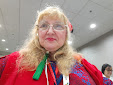
One photo is not enough. Leave the viewer with another picture on their screen, ideally one with a message. For example, this picture tells you that I can act as a timer at a Toastmasters International meeting or contest. it is what I call a self-captioning photo.

About the author
Angela Lansbury teacher of English (advanced and English as a Second Language or English as a Foreign Language, French and other languages, online tutor, aspiring polyglot.
Angela Lansbury, travel writer and photographer, author and speaker. Member of many toastmasters speaker training clubs and speaking contest judge.
Angela Lansbury, the author of 20 books including Wedding Speeches & Toasts, and Quick Quotations, has lived in the USA, Spain and Singapore.
She has several blogs and writes daily on at least two of the following:
Please share links to your favourite posts.
Labels: self-captioning photos, timer, Toastmasters International
posted by Angela Lansbury Author at 1:16 AM


0 Comments:
Post a Comment
<< Home